
Using comments, you can easily communicate with other sub-users about the changes or leave notes about anything you need for yourself. You can add comments on every map field, and on every step of mapping.
To add the comment
In DataFeedWatch, you can add your comments on the Master Fields across all your channels.
-
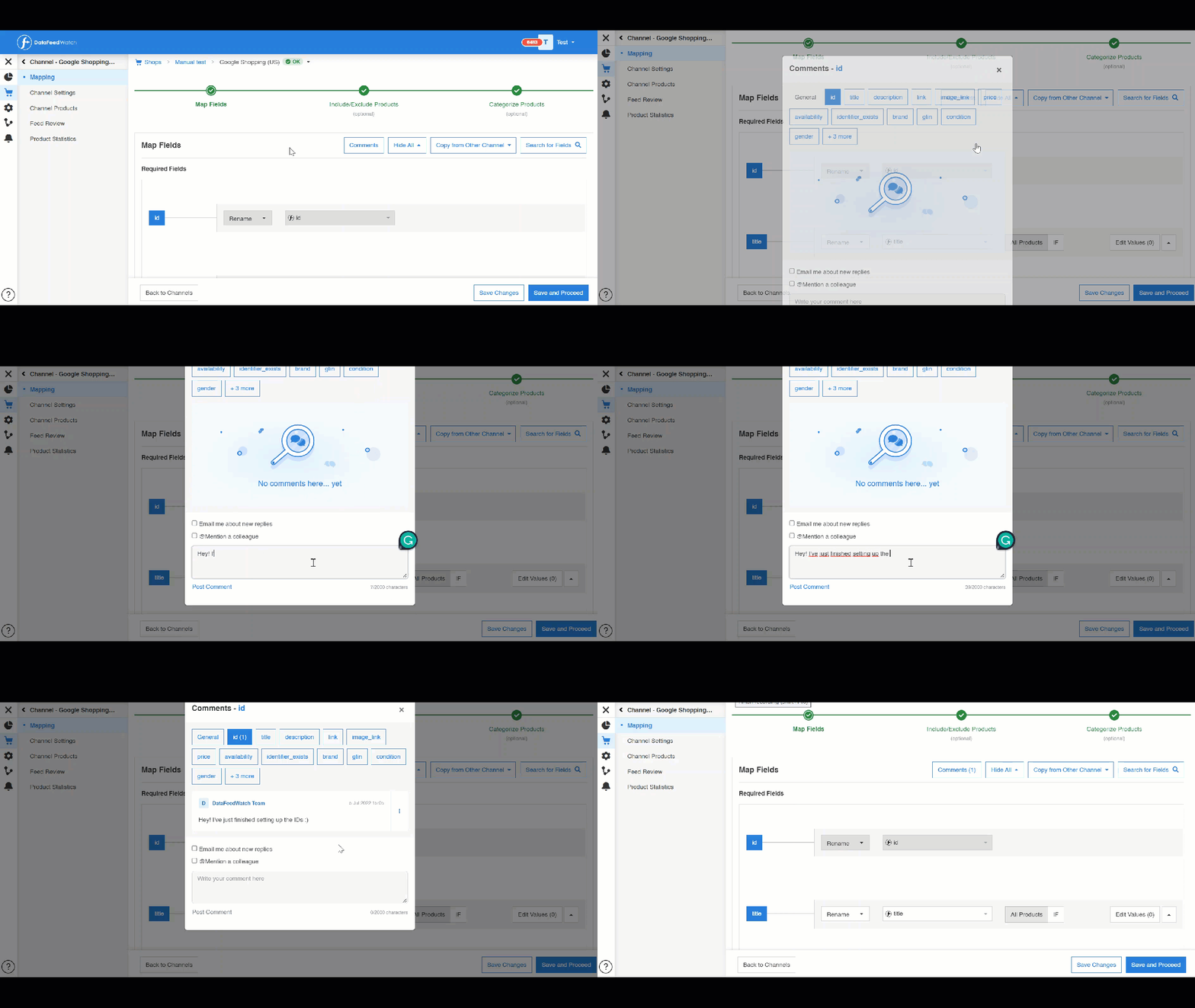
Find a field you want to add the comment.
-
Click on the button Comments on the top right of a field.
-
Once you click the Comments Button, the comment editor window will appear on your screen.
-
To write your comment, click the field Write Your Comment Here.
-
Click Post a comment or press Enter on your keyboard to save your comment.
To edit or remove your comment
Want to edit or remove the comment you’ve left? You can do it by clicking the three dots menu on the right side of your comment. When the drop-down menu appears, choose the correct option.
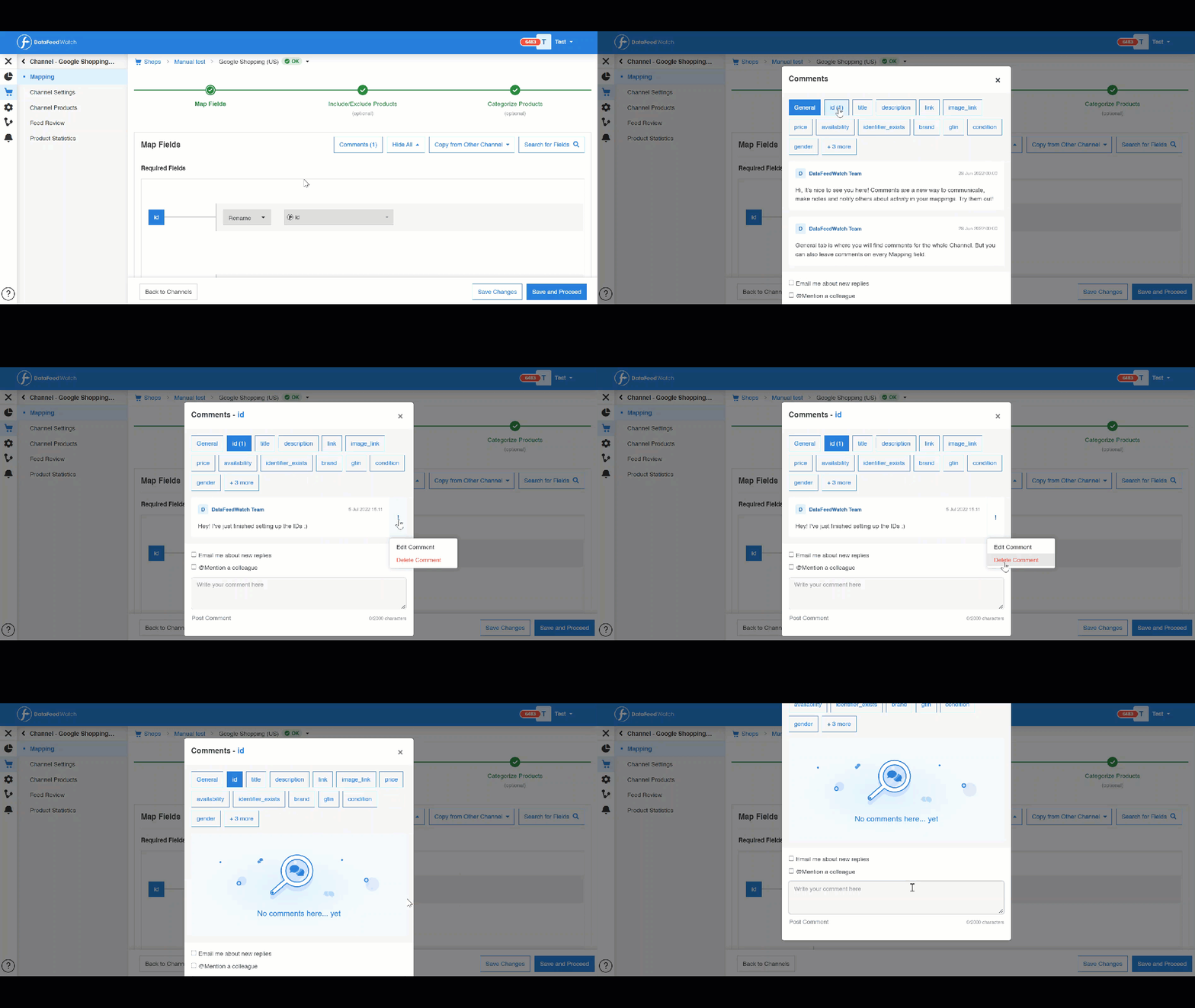
1. You can edit or remove your comment by clicking the three dots menu on the right side of your comment.
2. When the drop-down menu appears, choose the suitable option.
Key comment notification in a nutshell