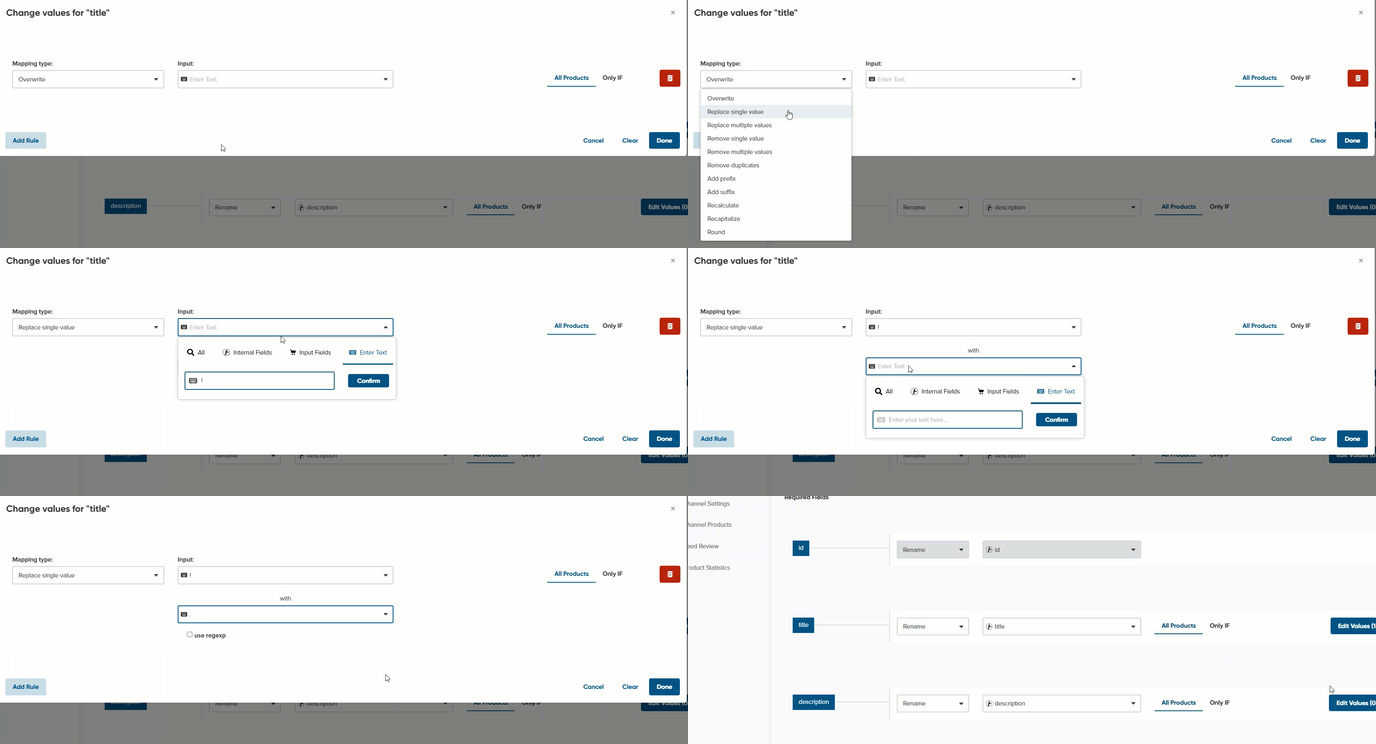
This allows you to make minor changes to field values without changing the source feed.
To use Replace single value, follow the simple steps below:
- Scroll down to find the field you want to map (e.g., Brand).
- Click Edit values on the right.

3. From the Mapping type drop-down menu, select Replace single value.
4. In the first Input field, enter the text that appears in your shop's feed.
5. In the second Input field, enter the new text to appear.
6. Click Done.
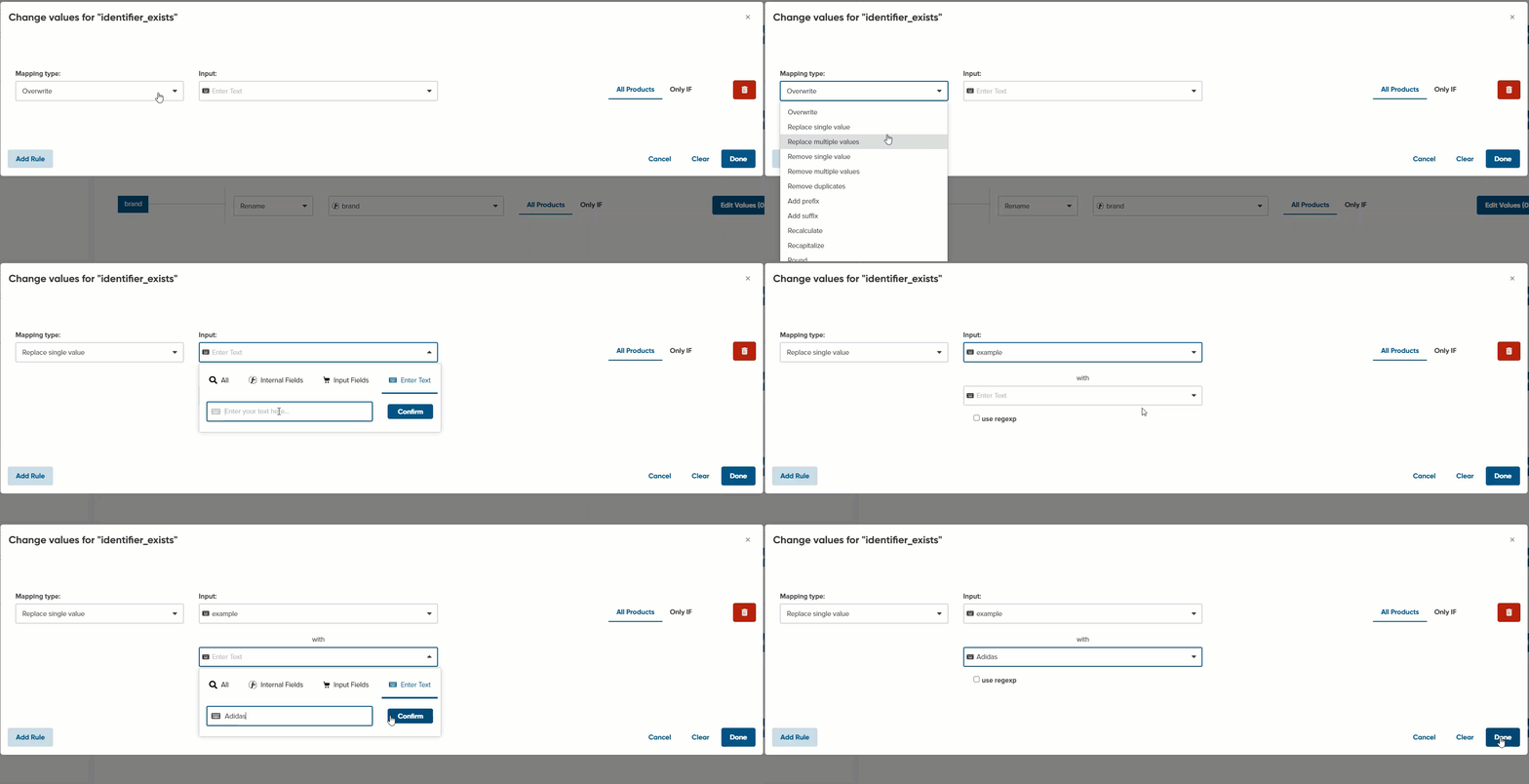
In the Shopify source feed, by default, the 'myshopify' is included in the shop's URL instead of your shop's domain.
Using the Replace single value, you can easily replace that address with your official shop address 👉 How to Remove 'myshopify' From the Links?
Optimization Case Studies:
Inserting dots instead of exclamation marks in your titles.
Some Channels do not accept exclamation marks in the product titles and descriptions. If you have exclamation marks, you can use the “replace single value” functionality to eliminate them.