
You may need to refresh or force the download of your source feed manually in some situations like:
- You have implemented changes to your source feed and don’t want to wait until the next update.
- We couldn't download your input feed for several consecutive days due to external reasons, so we have paused the download. To find out more, refer to:
- Some technical glitch has occurred, and the update has not been done.
- You can also do it whenever you want to refresh the data.
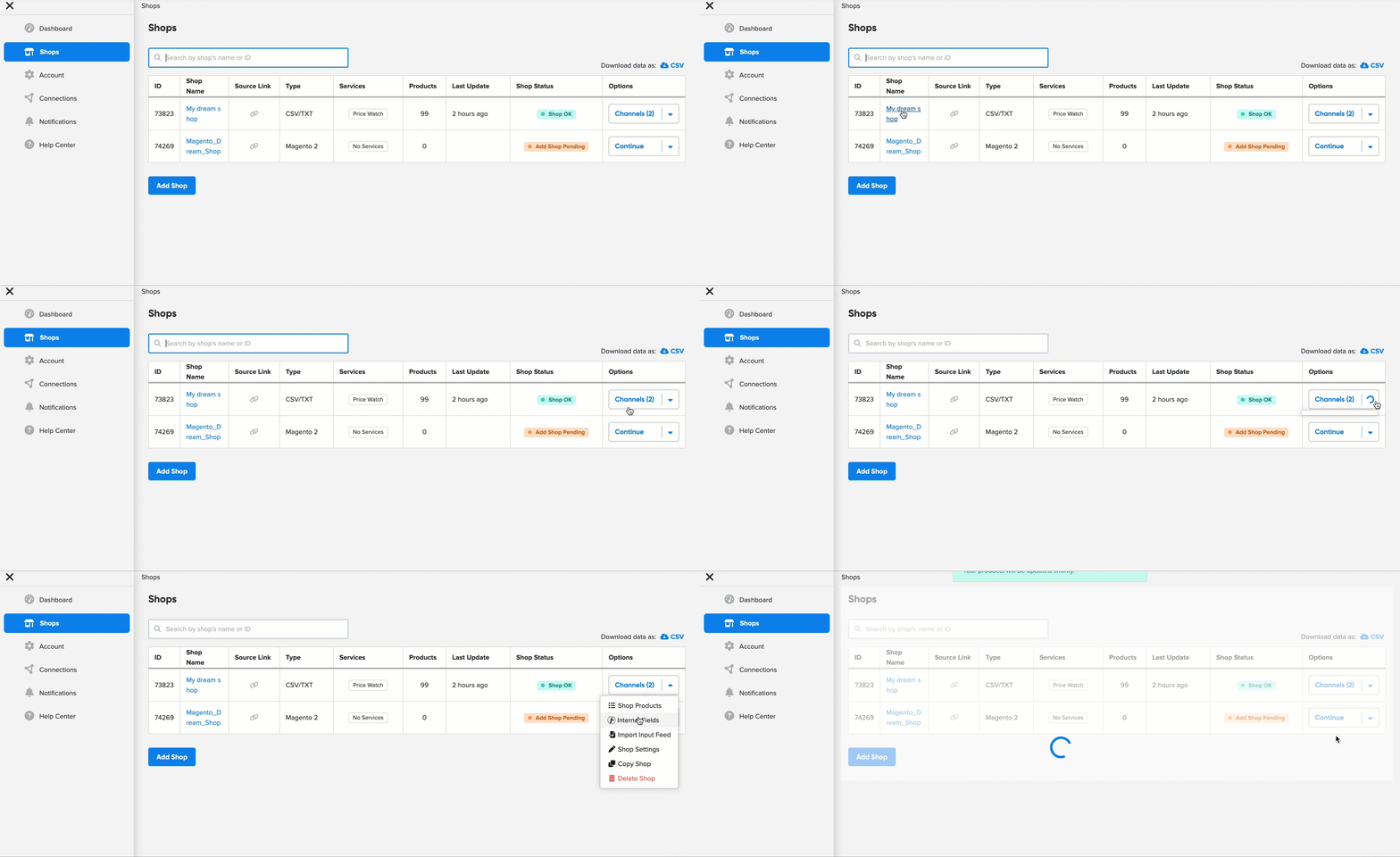
To refresh the input data feed download:
- Go to the DataFeedWatch.
- Head to Shops.
- Find the shop where you want to refresh the input feed.
- In the last column, Options, click the arrow to open the drop-down menu.
- From the drop-down menu, select Import Input Feed.
- Your input feed will begin downloading.
My Shop status is ON HOLD
When your shop status is ON HOLD, it means we’ve been unable to successfully download your shop for several days in a row.
As a result, the download of your shop’s product data has been temporarily paused, and your shop status is now set to ON HOLD.

These issues usually occur due to factors outside our app's control, such as:
- Issues with your shopping cart (e.g., pending payments),
- Problems with your server or connection,
- Other issues related to the source feed itself.
While the download of your shop's product data is paused, you can still download the channel feed for the marketing channel.
Please note, however, that the product data may be outdated or inconsistent with your shop’s current data.
What should I do to resume the download?
1. Please review your shopping cart or import file to address the identified problems.
2. Once resolved, you can resume the download by refreshing it according to the provided instructions.
If you need any help, don't hesitate to reach out to our support via chat! We're more than happy to assist 💙.