
BPT campaigns allow you to advertise products based on their brand (Adidas), and product type (football shoes). BPT campaigns also use other information from the feed to cover more search terms, and make the ads more relevant.
To create a BPT campaign, follow the process for the Group Campaign with the below-described changes
-
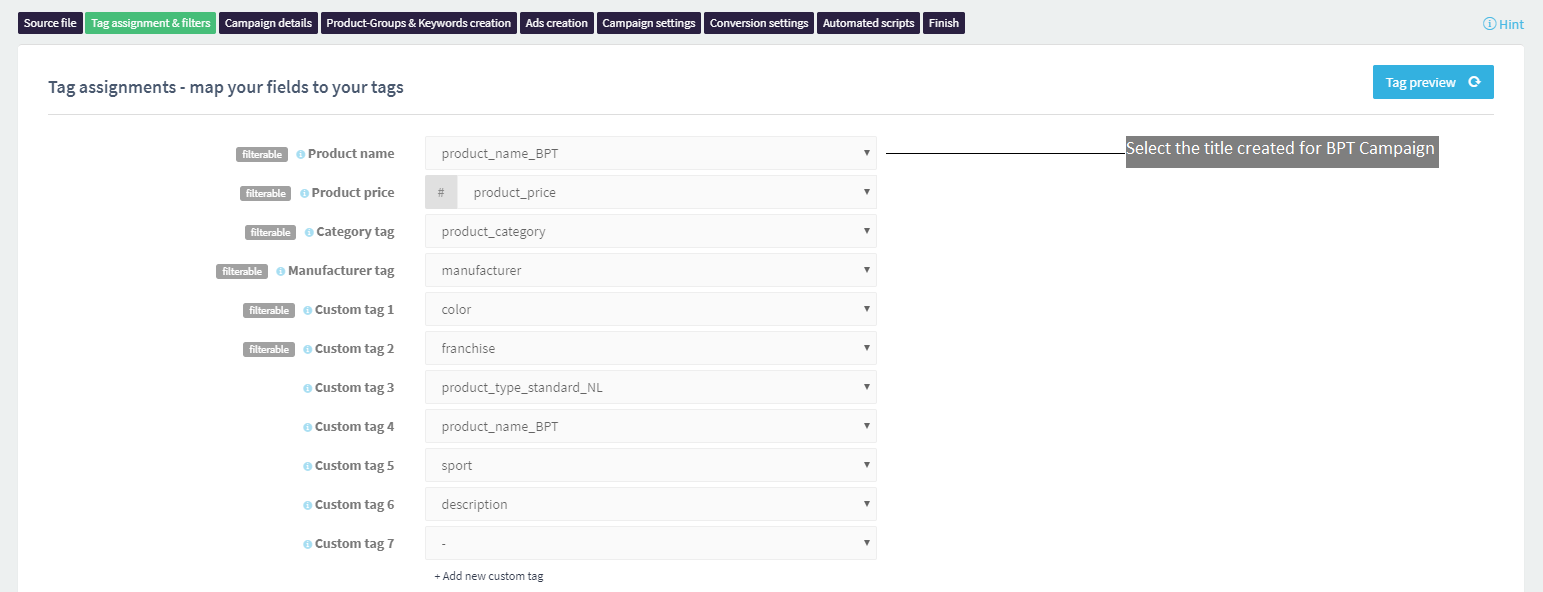
Create a new product title for the BPT campaign using a custom field.


In the example above, we are creating a new title with brand and product type fields using the combine function.
You can also add more information based on the type of products you are advertising. For example, if you want to advertise Adidas Predator football shoes, your custom field will be as follows.

Adidas is the brand, Predator is the franchise, football is the sport, and shoes is the product type. If you do not have attributes like sports or franchise in a separate field, you can often extract it from other fields like title or description, as shown below.

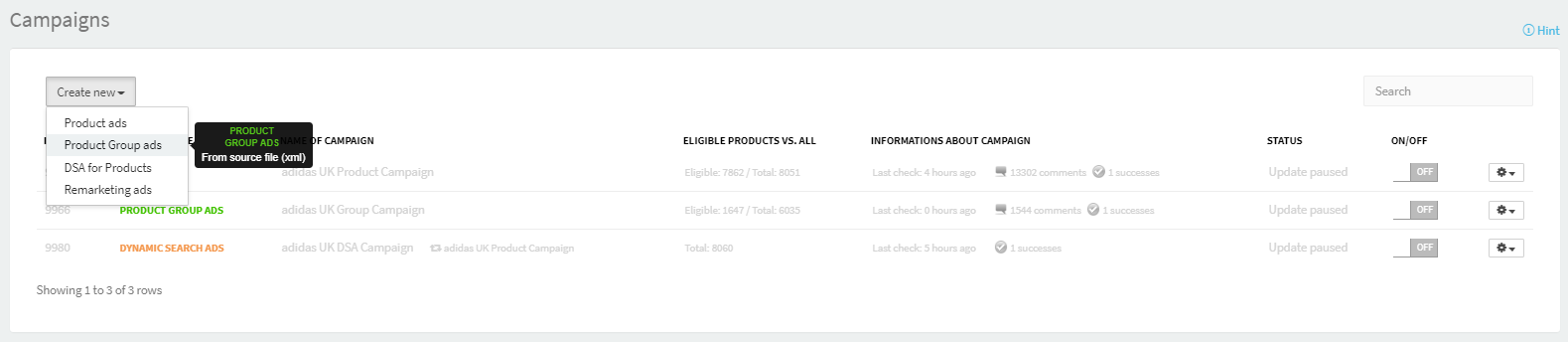
2. Add a new campaign.
3. Copy settings from the corresponding campaign.
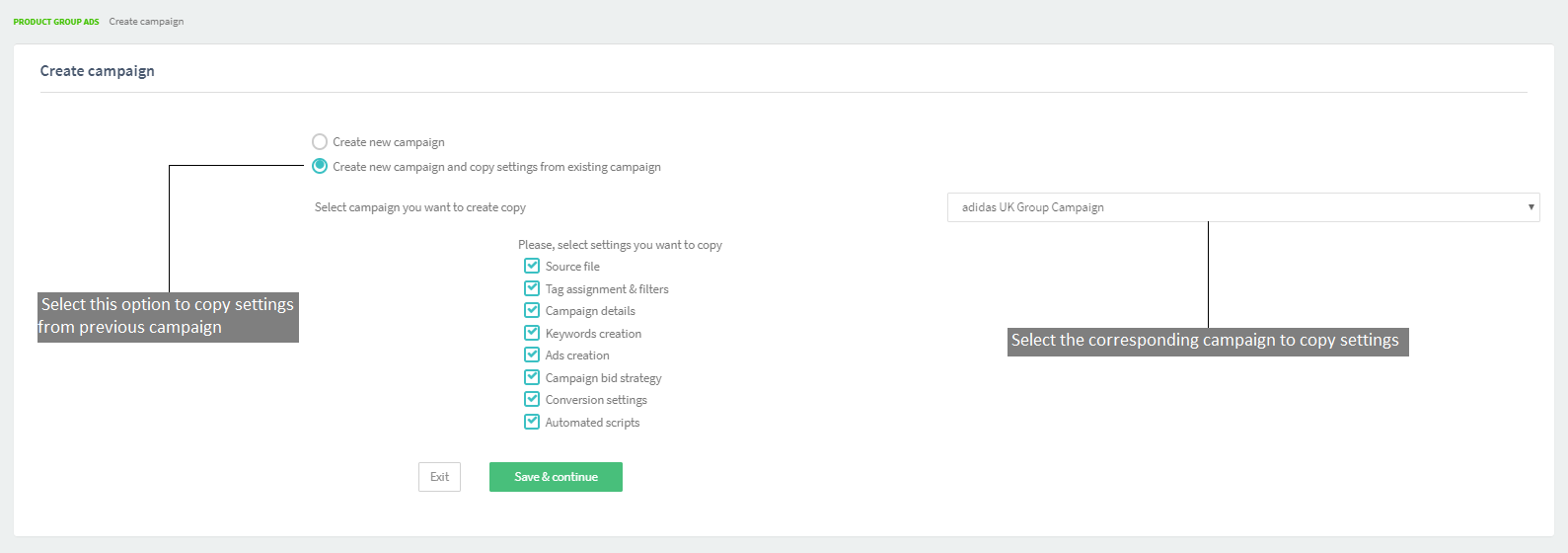
Settings from the selected campaign will be copied after you click Save & Continue.
-
5. The process is the same as for the
-
.