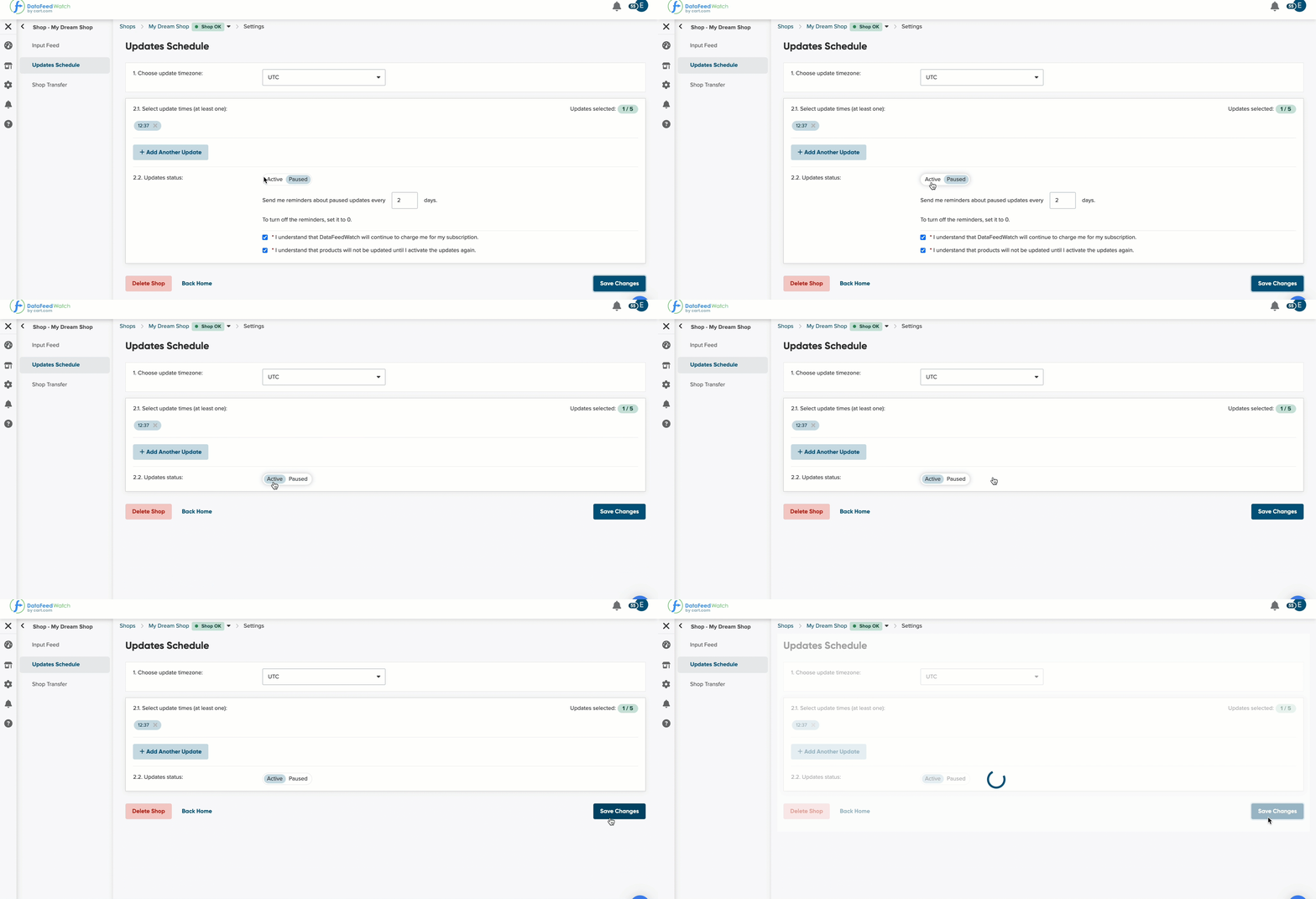
You may need to stop importing your products to DataFeedWatch for a moment.
You can, for example, do that while some changes are introduced in your shop products. So the products will not be imported—until you activate the shop again.
To pause the import of your products, follow the steps below:
- In DataFeedWatch, go to Shops.
- Go to the Options column next to the shop, and from the drop-down list, select Shop Settings.
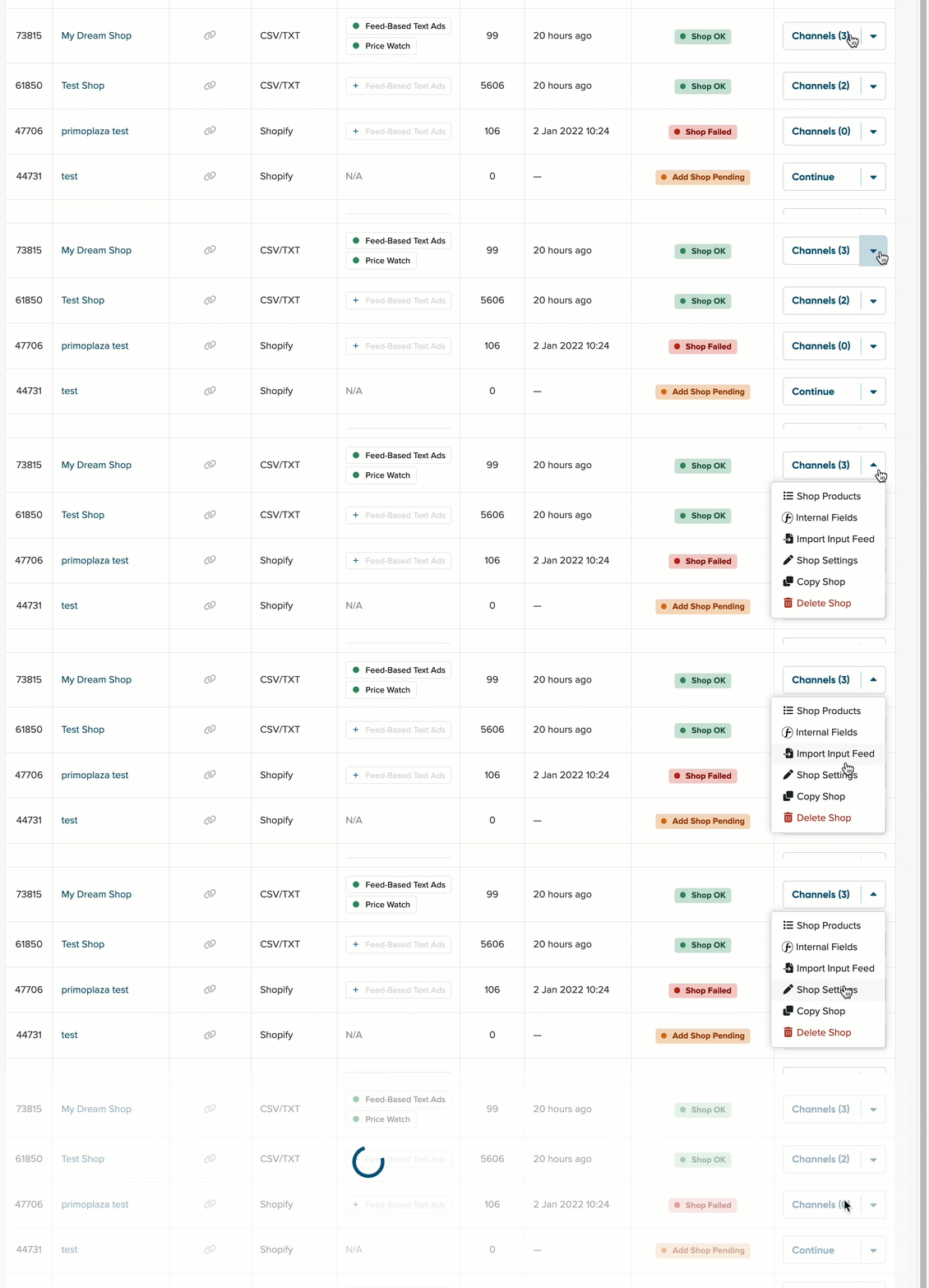
3. Select Updates Schedule from the sidebar navigation.
4. On the Updates Schedule page, head to Updates status.
5. From the Updates status, select Paused.
- If you want to receive a reminder about paused updates, set up the frequency that best suits you.
- Accept the two consent statements.
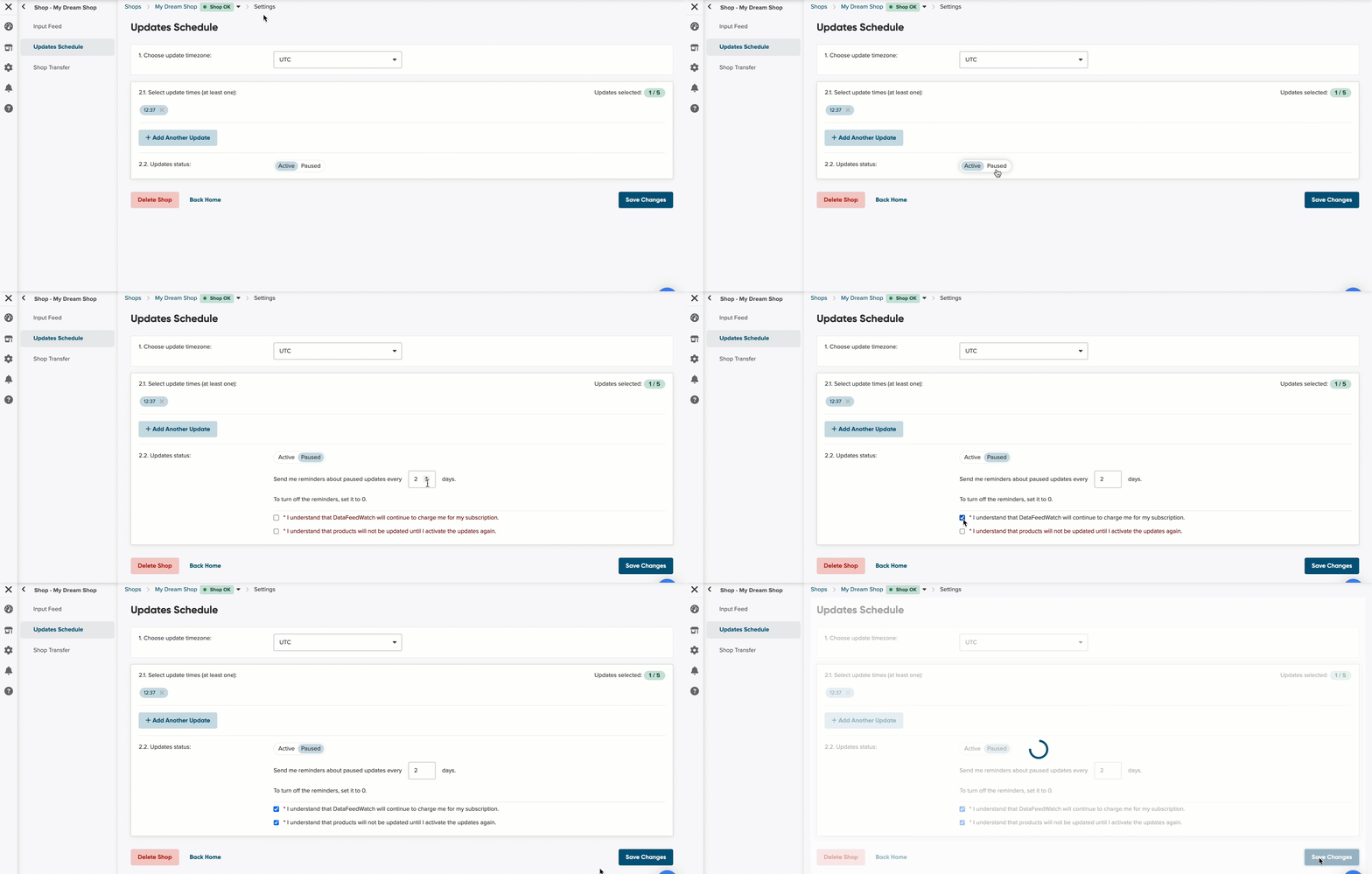
5. Save Changes.
6. The import will be paused until you reactivate it.
To reactivate the import, repeat the step from above, but in step 4, select Active.