
Before you start
- You can merge your shopping cart data feed with data feed from other sources (CSV/TXT, XML, JSON) only if you have already added this shop to your DataFeedWatch. If you haven't, add your shop first.
- It is not possible to merge two different shopping cart data feeds.
To merge your shopping cart data feed with data feeds from other sources
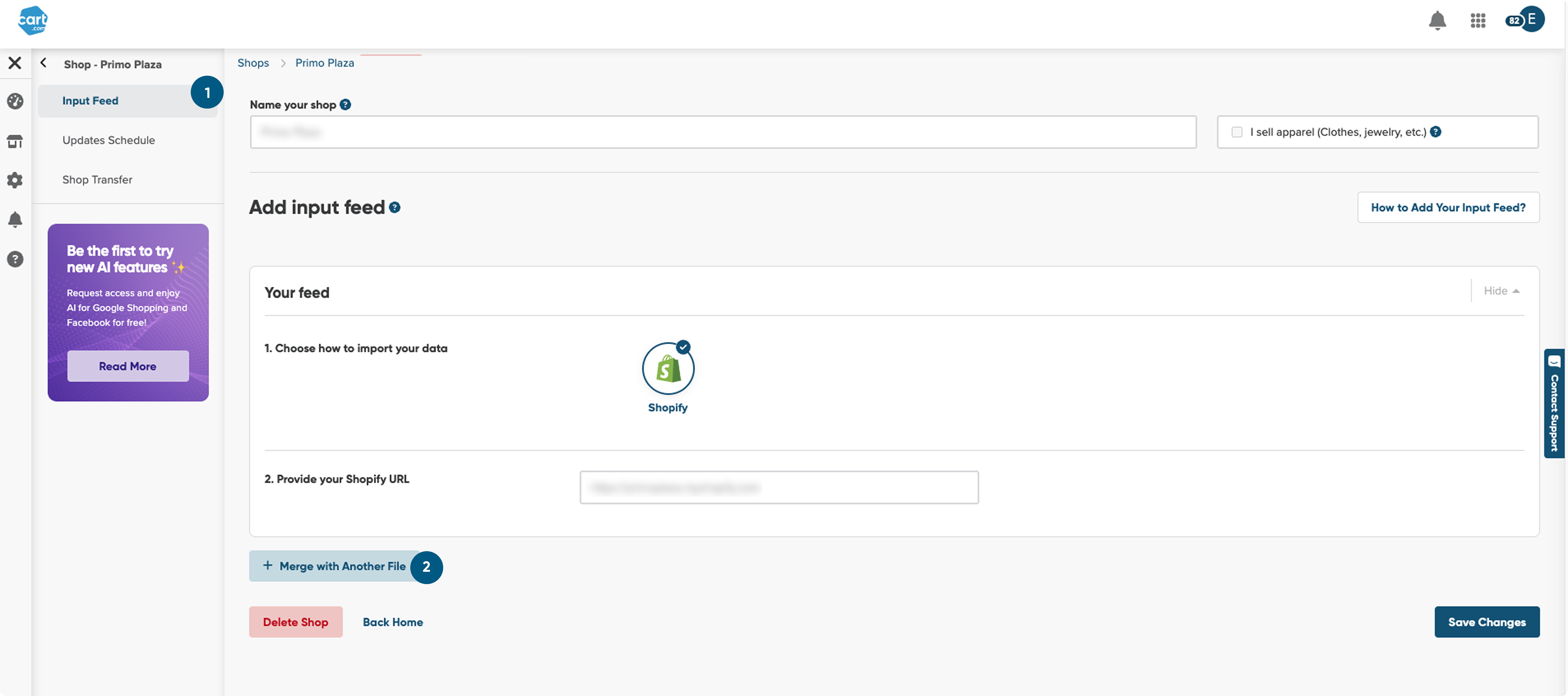
- Open the shop where you want to add the additional feed.
- Go to the Shop Settings.
- Navigate to Input Feed.
- Click on the button +Merge with Another File.
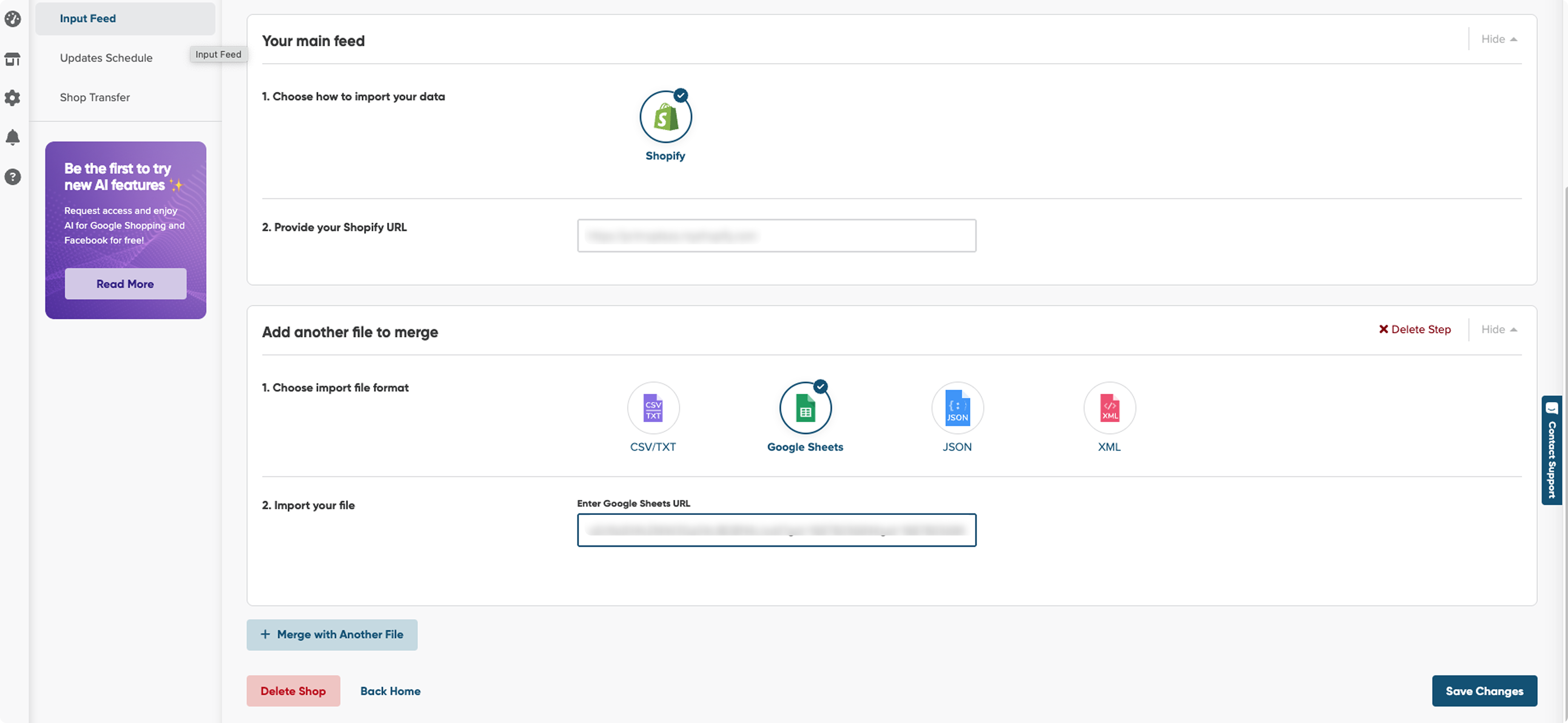
5. Choose the import file format.
6. Enter the URL in the corresponding field.
7. Click the Save Changes button.
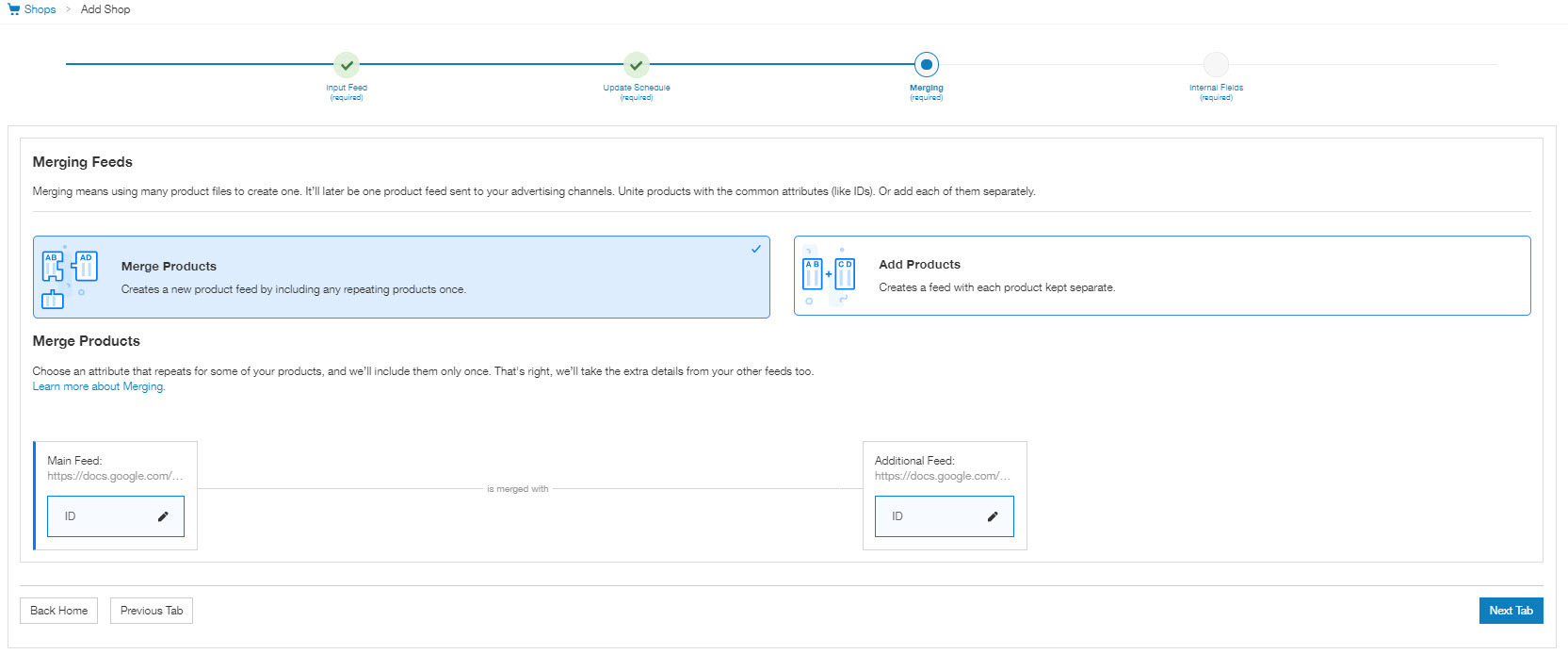
If you don’t want to upload the same data twice, you can merge product attributes from the main feed with the same attributes coming from the additional source.
For instance, if your main feed includes an attribute ID in the same-named column, and your additional source file has exactly the same data, you can merge them into one.
This way, you avoid repetitions and keep your final feed well organized.
For instance, if your main feed includes an attribute ID in the same-named column, and your additional source file has exactly the same data, you can merge them into one.
This way, you avoid repetitions and keep your final feed well organized.
Questions? Drop us a line. We'll be delighted to dispel all your doubts 💙.