
The recalculate option allows making calculations on the original values. There are four operations available:
-
addition
-
subtraction
-
multiplication
-
division
You can create conditions to specify for which products you want to apply the recalculate option.
Please note that recalculation cannot be performed on non-numerical values.
To use Recalculate, follow the simple steps below:
-
Scroll down to find the field you would like to map.
-
From the first drop-down list next to it, select a basic mapping type (e.g. Use).
-
In the next field, select the Input Field or Master Field you want to use.
Please note that Master Fields (already mapped for the whole shop) will only be available in the Map Fields tab.
4. Click Edit values on the right.

5. From the Mapping type drop-down menu, select Recalculate.
6. In the Input field on the right, choose, for example, Add, and enter a number to add to the given field (e.g., 100) in the next input field.

Optimization tips&tricks:
Imagine you want to increase your prices by 10%.
To do this, follow the steps below:
1. Use Use as a mapping type for your price field.
2. Click the "edit values" button.

3. In the first drop-down list, choose Recalculate.
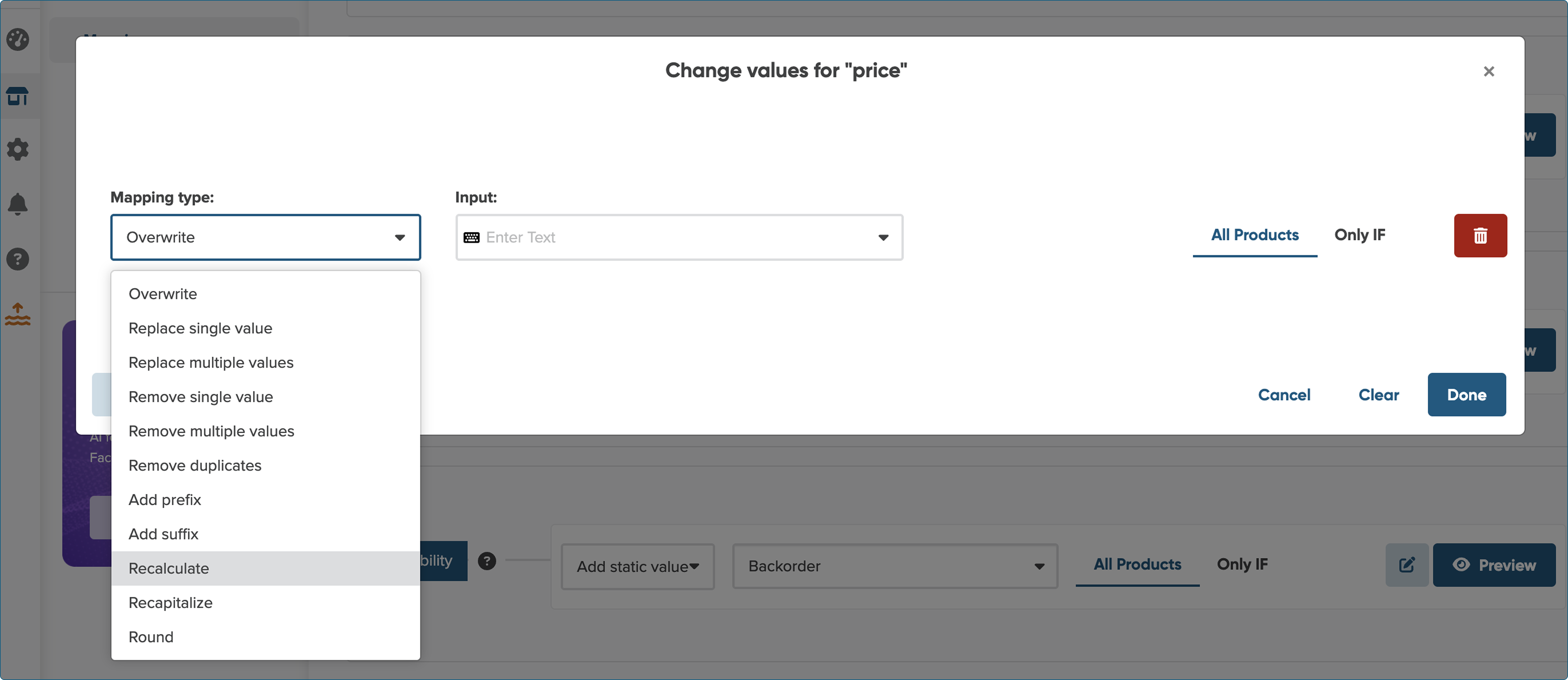
4. In the second drop-down list, choose multiply by and enter "1.1" in the next input field.
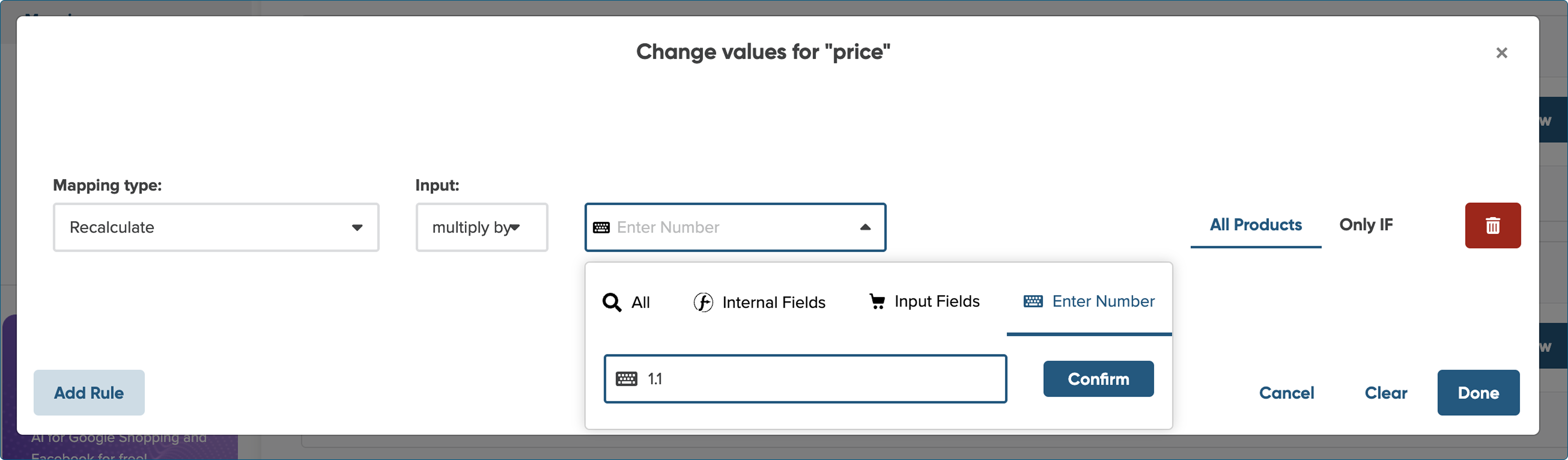
5. To finish, click Confirm, followed by Done.