
To add your OpenCart Shop to DataFeedWatch, you will need a Store Key. We explain how to get in a few steps:
- Log into your OpenCart shop.
- Go to OpenCart Admin's Dashboard.
- When you get to the Dashboard, navigate to the side navigation and click on Extensions.
- Next, from the toggle list, select Extensions.
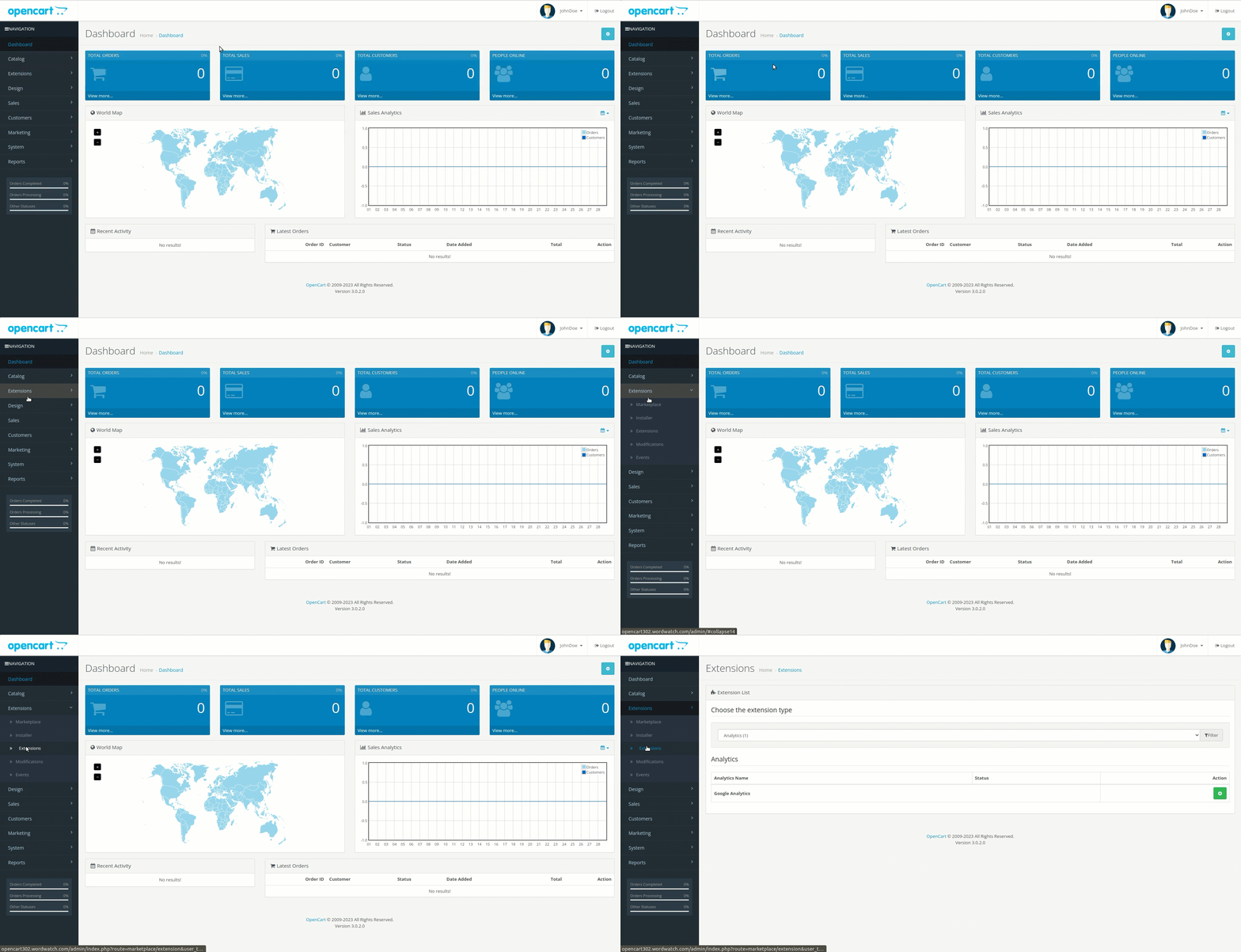
5. Take a look at the main screen of Extensions.
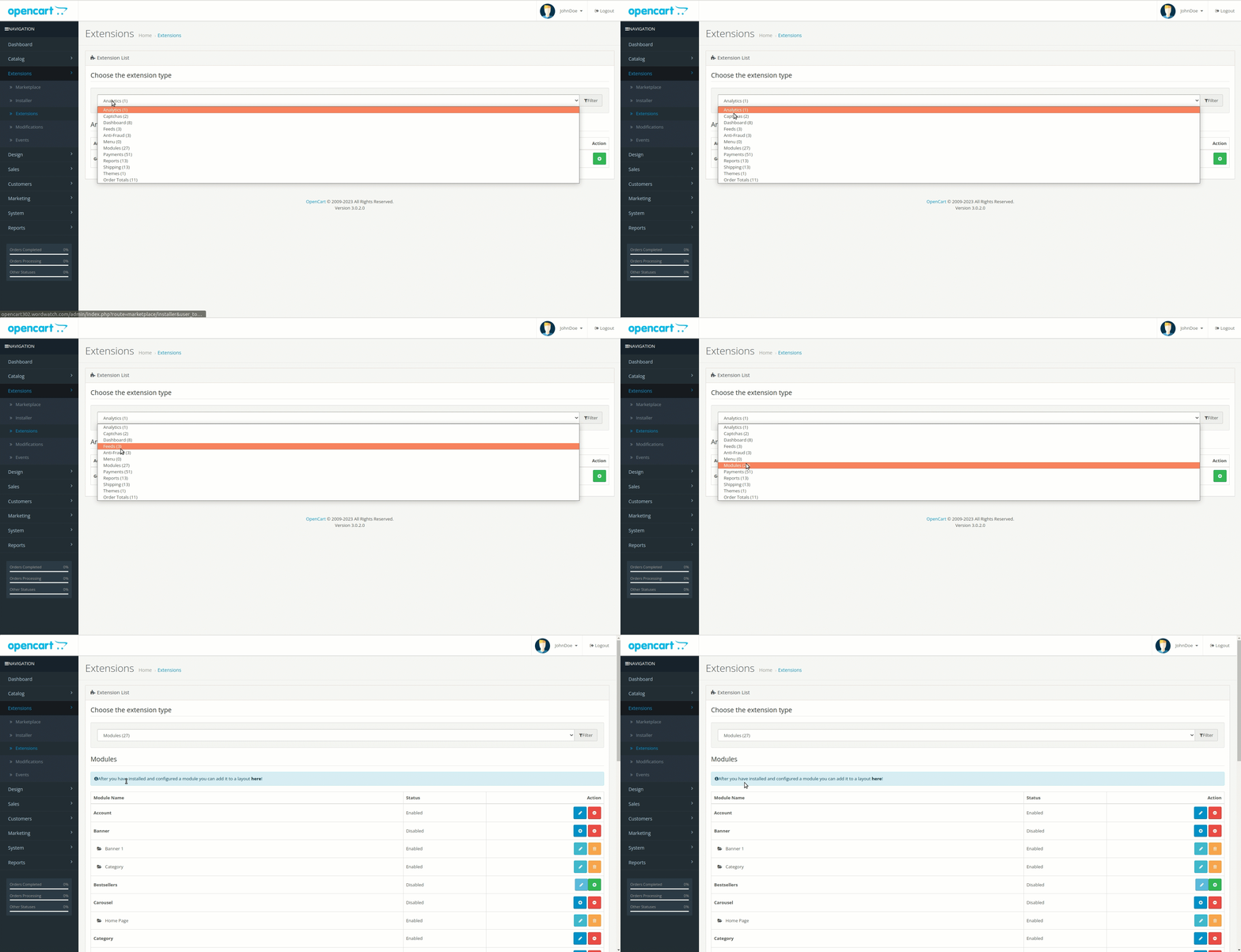
6. Click on the drop-down menu to Choose the extension type.
7. Select Modules from the list.
8. Go down, and find the DFW-Opencart plugin among the modules.
9. Click on the Edit icon.
10. Your Store Key will appear, ready to be copied.
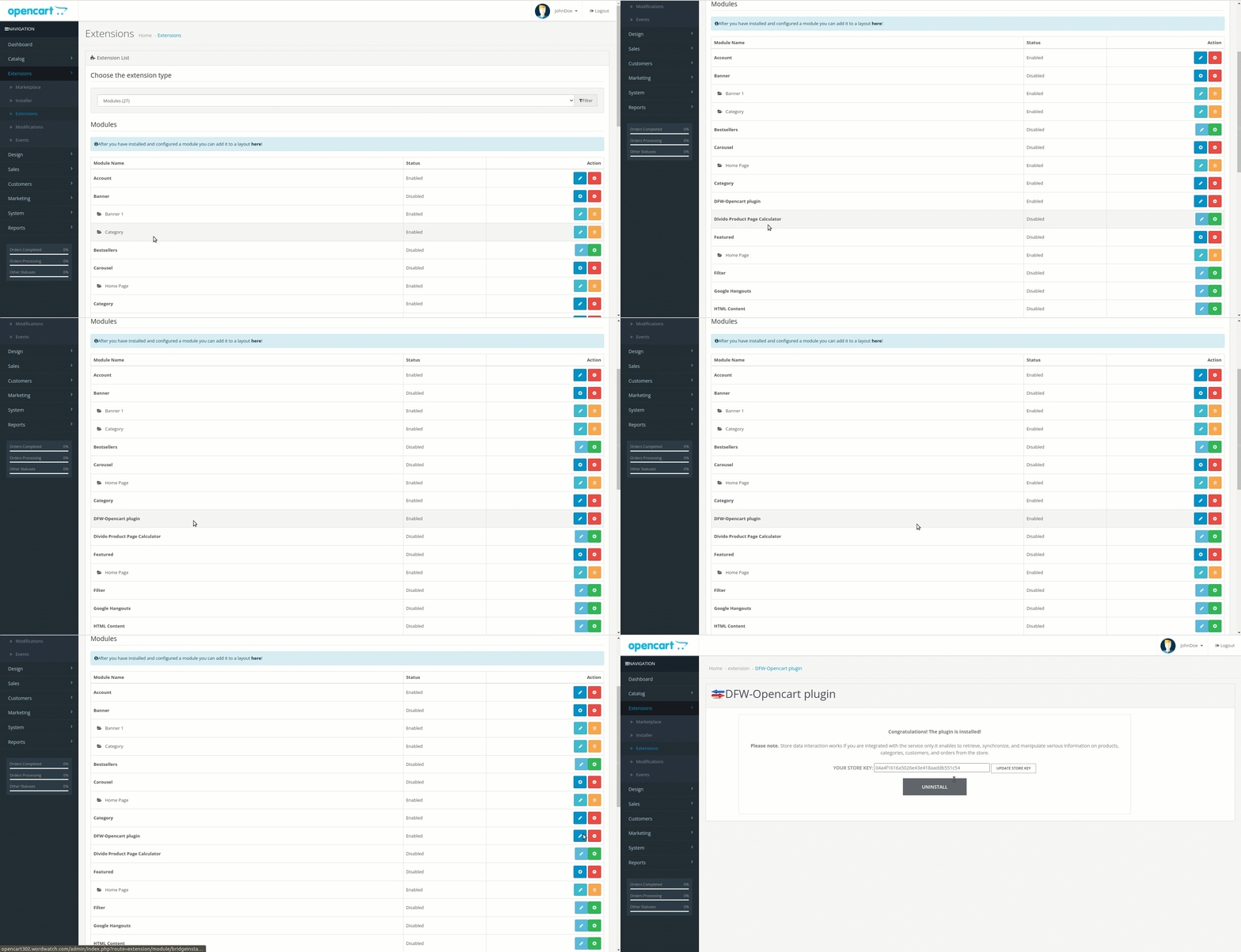
Your Store Key is necessary to integrate your shop with DataFeedWatch.
Can we help you with something? Contact our support team via chat. They're always happy to assist you 💙.