
What can you do to solve the 403 Forbidden error?
There is more than one possible reason for that.
Password-protected source feed URL
- In the Options column next to your shop, select Edit Shop.
- Check or paste your Feed URL.
- Tick the box next to My Feed requires login and password and provide the credentials.
- If you have already done it, please check the credentials (optional).
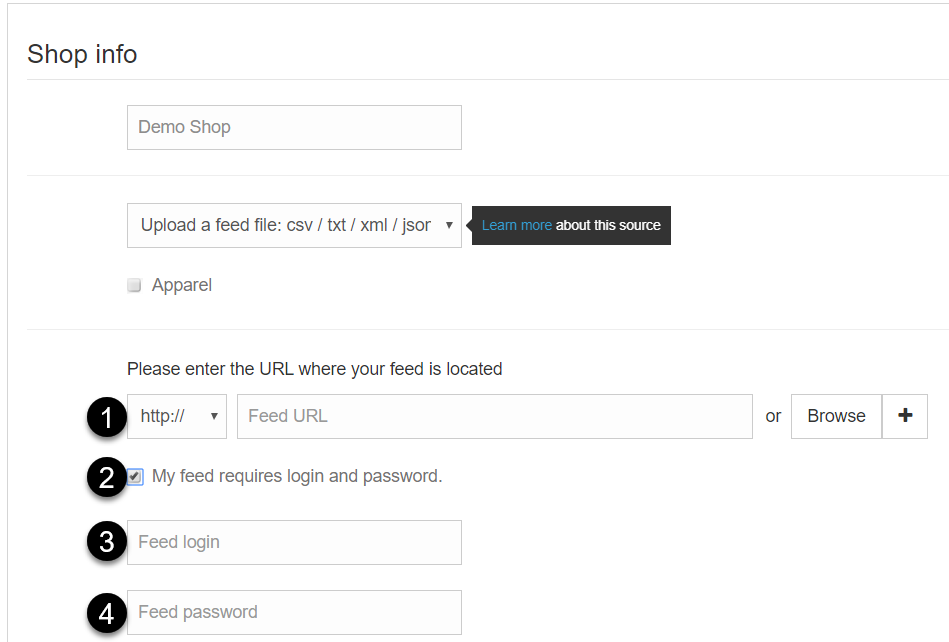
5. Click Update Shop.
6. To try again and start a new download, in the Options column, click Import Input Feed from Shop.
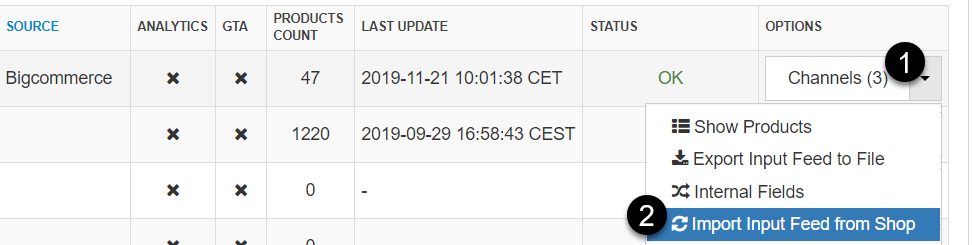
If the download fails again, please do not hesitate to contact us.
Your server blocking our IP address
- Please ask your server’s administrator to whitelist our IP-numbers:
- 148.251.198.33
- 78.46.214.6
If the download fails again, please do not hesitate to contact us.