
You can use this option to benefit from the Master Fields previously configured for another shop with just two clicks.
But please note that this functionality works best if the shop source is the same. For example, for two similar Magento shops, or other sources with the same fields inside.
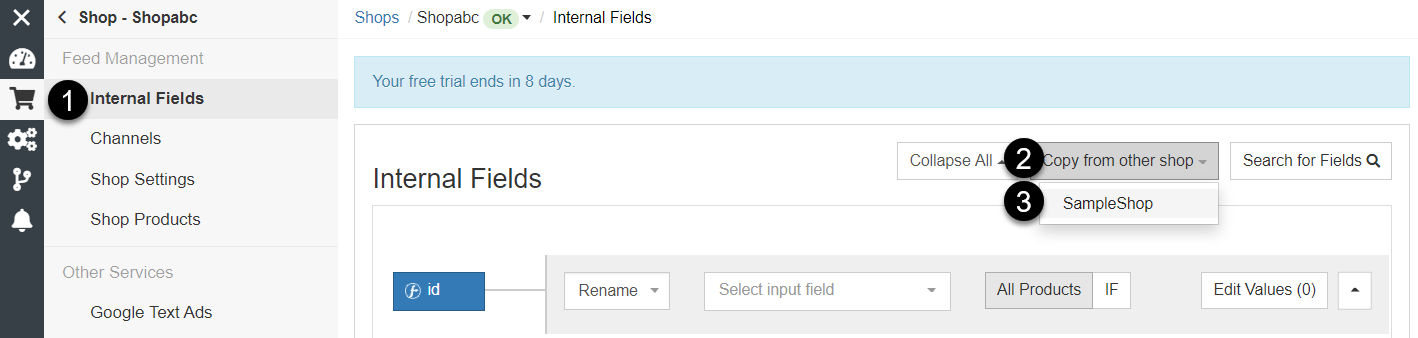
To copy Master Fields from other shop, follow the steps below:
- In DataFeedWatch, click on your shop's name.
- In the Master Fields page, click Copy from other shop.
- From the list, select a shop with the Master Fields already configured.
- Make sure you'd like to proceed and confirm your selection with OK.
- You can adjust the Master Fields now, if you like (optional).
- To save the changes and continue, click Save and Proceed.
Please note that ID and Item_Group_ID will not be copied for security reasons. You can always unlock them and change the mapping manually.