
-
Log in to your Bing Merchant Account.
-
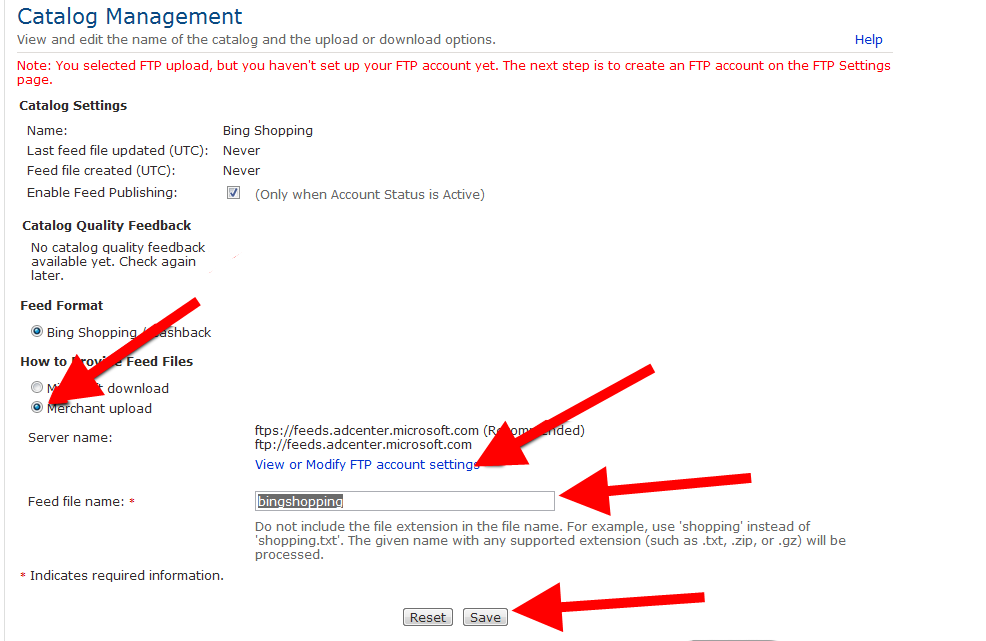
Go to Tools > Catalog Management.
-
Select the option Merchant Upload.
-
Go to View or Modify FTP account settings and set your FTP details.
-
Enter the name of a data feed file (without the extension), and click Save.
6. Log in to your DataFeedWatch Account.
7. Go to your shop, and click Add channel.
8. Provide your FTP credentials.
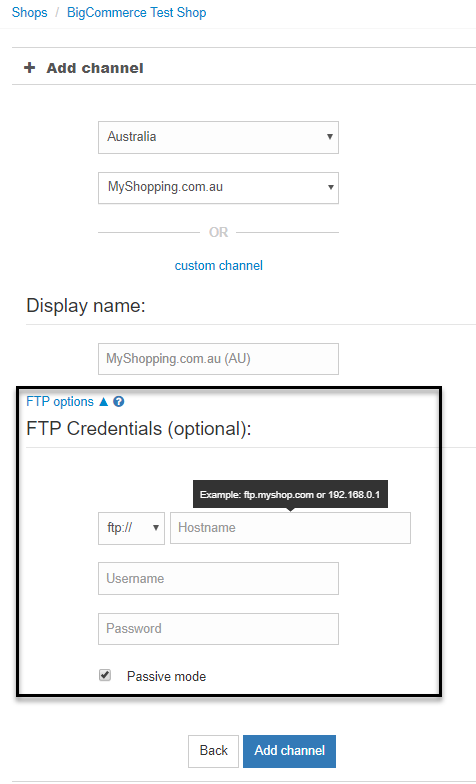
Make sure that the status is OK.
9. Click Add channel.
The feed will be now sent to the server automatically every day just after your products are uploaded to our system.