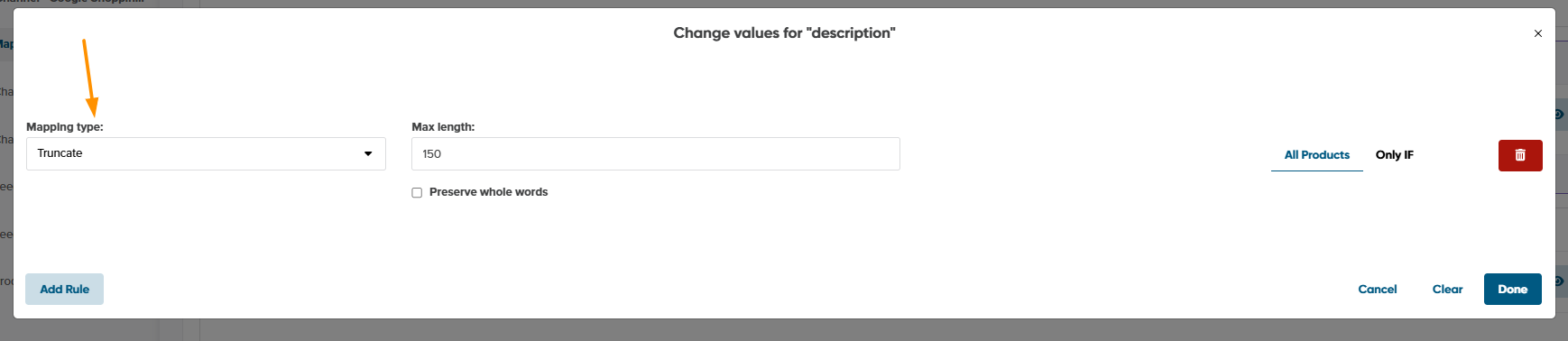
The Truncate edit value option allows you to limit the character length of text fields to meet channel specifications and prevent feed validation errors. You can choose how and which values are to be limited.
What is more, you can create conditions to specify for which products you'd like to limit such fields.
To use Truncate, follow the simple steps below:
-
Scroll down to find the field you would like to map (e.g. Description).
-
From the first drop-down list next to it, select a basic mapping type (e.g. Use).
-
In the next field, select the Input Field or Master Field that you would like to use.
Master Fields (that are already mapped for the whole shop) will be available in Map Fields tab.
4. Click Edit values on the right.

5. From the Mapping type drop-down menu, select Truncate.
6. In the Max length field, enter your preferred character threshold.
7. (Optional) Select Preserve whole words to prevent text from cutting off mid-word.
8. Click Done to save your mapping.