
This procedure applies to Google Merchant Center Next.
1. Log in to DataFeedWatch.
2. Go to your shop list and open your shop.
3. On the Channels list, find Google Shopping.
4. Copy the URL of your feed by clicking the icon 🔗 in the FEED URL column.

The feed URL will not be generated until the feed mapping is complete
5. Log in to your Google Merchant Center.
6. Go to Products on the left and click Add Products
7. Select Add products from a file, and paste the URL from the FEED URL column into the provided field. Here, you can also edit the schedule if needed.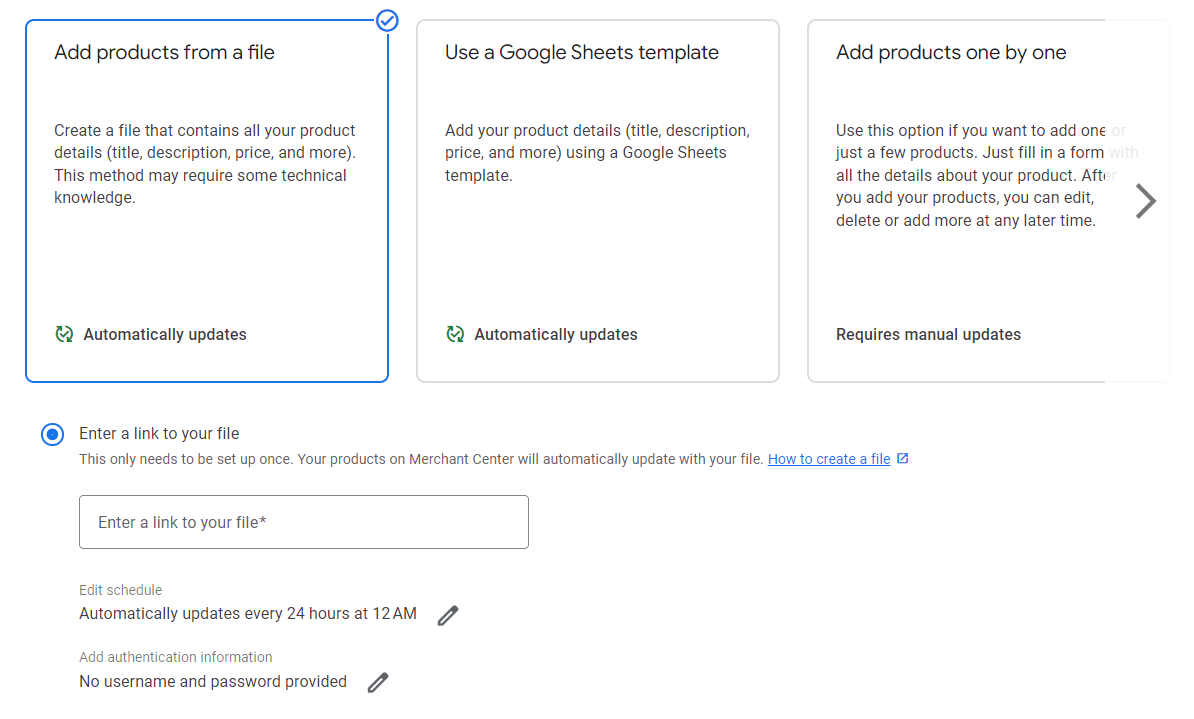
8. Set up your target country of sales and click Continue. 
9. Wait for Google to upload your products.